

01Notes
Notes that feel like notes.
A Markdown editor with [[links]] and backlinks next to every note. There’s nothing to save, it saves by itself.
For Mac
All your notes. One view.
A notes and journal app for your Mac that shows everything you’ve written as one 3D map.
Black Month12.99€5.99€−54%
Notarized by Apple · One-time purchase · macOS 14 or later
You’ve written hundreds of notes. Most of them you’ll never see again. astrocortex shows you all of them at once.
01The tour
Every screen below is captured from astrocortex itself, with its demo notes. Scroll through it.


01Notes
A Markdown editor with [[links]] and backlinks next to every note. There’s nothing to save, it saves by itself.
02Search
Press ⌘K to search every word of every note and jump straight to it.
03Universe
Folders become galaxies and links become arcs of light, so you see everything you’ve written at once.
04Brain
One region per folder, your links as its pathways. Drag to turn it, click a star to open the note.
05Journal
Guided questions every morning and evening, a mood check-in and streaks. Each day is a normal note.
06Record
Render your notes as a video in 9:16, 1:1 or 16:9, frame by frame, ready for TikTok and Reels.
02And there’s more
Catch a thought from any app.
Everything you know, in one view.
Spectrum, Mono, Aurora, Gold and Ice.
Old ideas come back.
The best version of [[Sleep routine]] is boring and reliable.
astrocortex finds notes that mention each other.
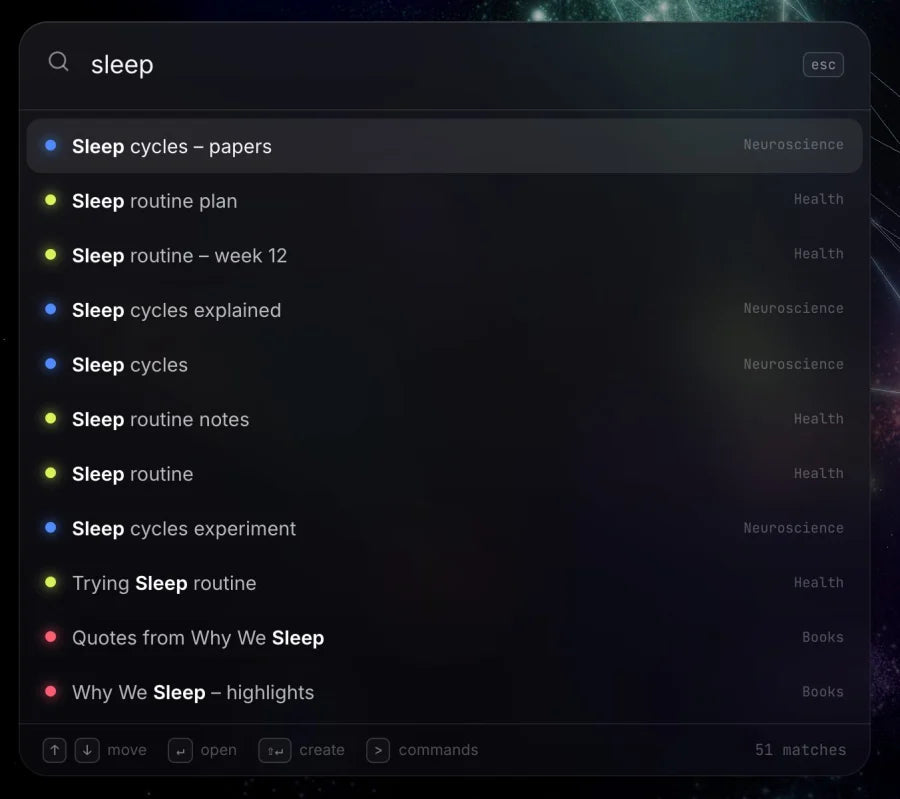
Every word of every note.
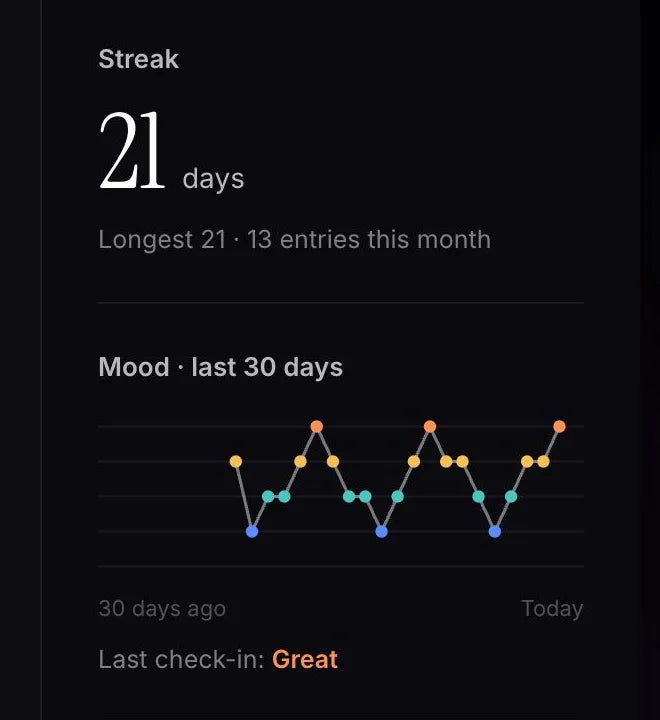
See how your days went.
.md
Every note is a file you own.
Opens your vault as it is.
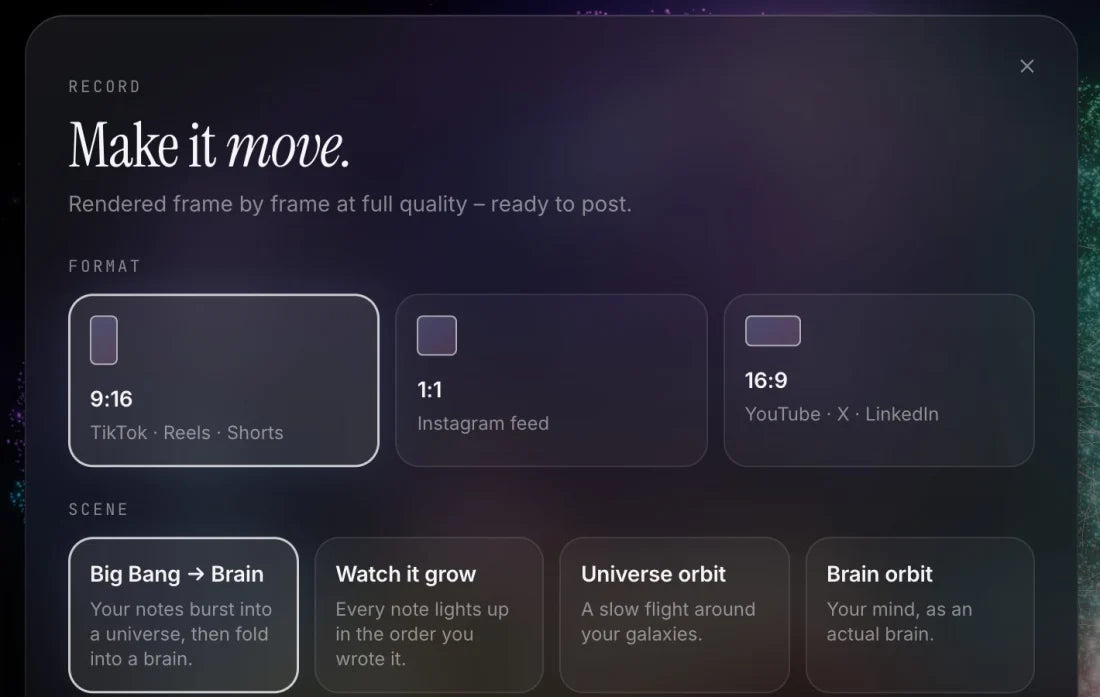
9:16, 1:1 and 16:9, rendered frame by frame.
0
No account. No cloud. Works offline.
03Watch it grow
Press G and astrocortex replays your notes in the order you wrote them, star by star. Then record it as a video, ready to post.
Frame by frame. Rendered at full quality at 60 fps, never a screen recording, so it never stutters.
9:16, 1:1 and 16:9. For TikTok, Reels, your Instagram feed and YouTube.
Your notes stay private. Record the demo universe instead of your own notes, if you like.
04Performance
A universe of stars sounds heavy. astrocortex only draws as often as it needs to.
At rest
Behind other windows
When it’s hidden
Smooth while you move it. In Low Power Mode it slows down further.

A real Mac app with its own window and menu bar. On your MacBook, on a big display, or full screen.
05Privacy
No sign-in and no servers. astrocortex reads and writes the folder on your Mac, and works offline.
Every note is a .md file you can open in any app. Leave whenever you like and keep everything.
Open the vault you already have. Your [[links]] and daily notes just work, and your settings stay untouched.
06Get astrocortex

For Mac
One-time purchase. No subscription.
Buy nowInstant download, notarized by Apple
Everything included
macOS 14 Sonoma or later
Apple silicon and Intel
Download link right after checkout and by email
Made by EIGHT, the people behind Pro Notch
07FAQ
A notes and journal app for Mac. You write, search and link Markdown notes like in any notes app. astrocortex also shows all of them as a 3D universe that folds into a brain, so you can see what you know and how it connects.
Right after checkout, the download link appears on the order page and comes by email. Open the .dmg file, drag astrocortex into Applications and open it. It’s notarized by Apple, so it opens without warnings.
No. You pay once and keep it.
No. astrocortex works with any folder of Markdown files, or with an empty one to start fresh, and comes with a demo universe to try. If you use Obsidian, astrocortex opens the same vault and follows your [[links]] and daily-note settings.
No. astrocortex only draws its universe as often as it needs to: smoothly while you move it, 30 frames a second at rest, 12 behind other windows and none at all when it’s hidden. In Low Power Mode it slows down further.
No. astrocortex reads and writes the files in the folder on your Mac. There is no account and no cloud, and your notes never leave your Mac.
astrocortex has no sync of its own. It reads the folder on your Mac, so if iCloud Drive or Obsidian Sync keeps that folder up to date, astrocortex shows the latest version.
Any Mac with macOS 14 Sonoma or later, with Apple silicon or Intel. There is no iPhone or Windows version.
Only when you ask it to: when you edit or create a note, capture a thought, fill in the journal or click Link. The journal only writes its own section and your mood into the day’s note; everything else you wrote there stays as it is.
Under the stars
5.99€instead of 12.99€, once. For Mac, macOS 14 or later.